Take Your Data Skills to Next Level with Microsoft Fabric 📈📊

Ratings
(0)

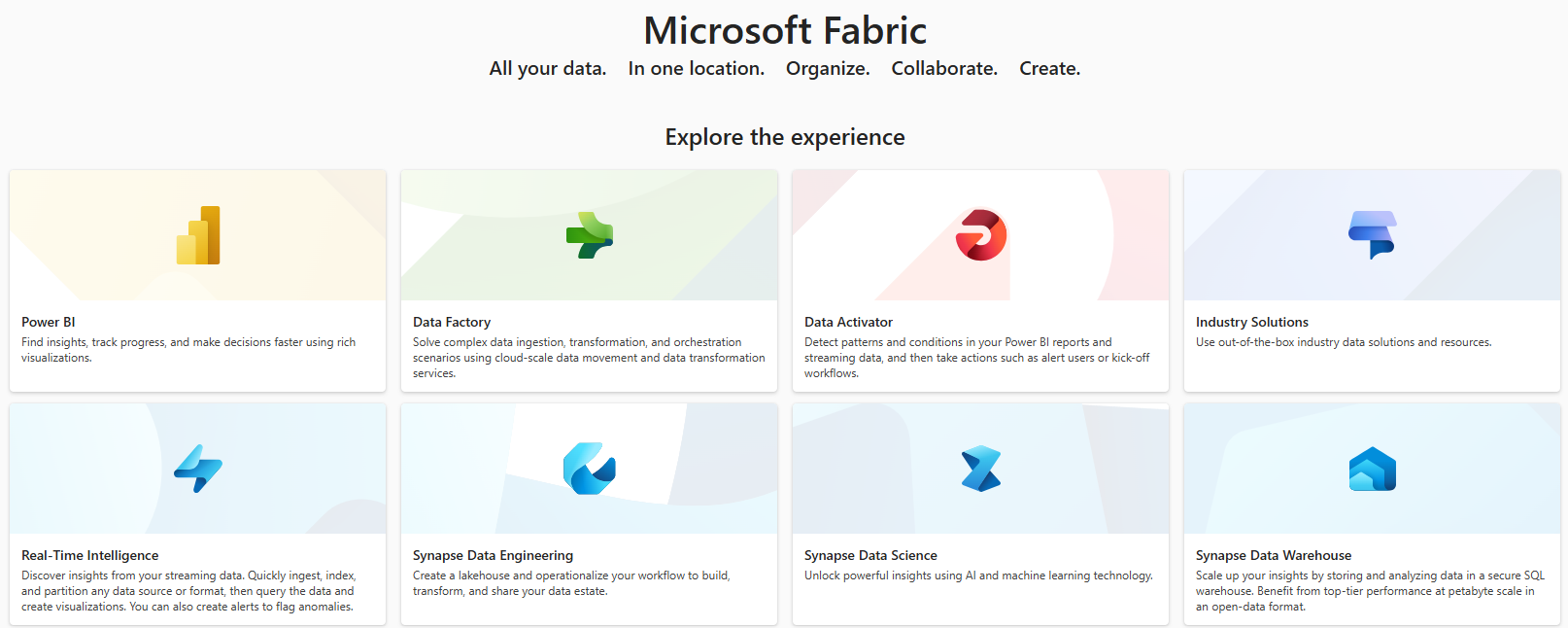
If you have not come across it, let me introduce you to Microsoft Fabric, a unified environment that enhances the way we work with data. Fabric is not a specific product or platform, but more of a concept that refers to the integrated and unified capabilities of Microsoft Cloud services particularly in data and #analytics space. 

There are up to eight different services including; Data Factory, Synapse Data Warehouse and Power BI working together seamlessly to provide a comprehensive data platform.  
In today’s fast-paced digital landscape, some organisations face challenges in managing complex data workflows, integrating multiple services and providing real-time insights. The struggles with data silos, manual processes and delayed decision making are becoming part of the job but should not be the case. 

How about a system that integrates multiple data related services, streamlines data workflows and enable real-time insights thereby bringing together data movement, processing, ingestion, transformation, even event routing and report building into a single user-friendly environment? 

This is where Microsoft Fabric comes in. This solution integrates data related services like Data Factory, Synapse Data Warehouse and Power BI so with this we have in one place: 

  • Data Factory for easy data movement and processing 
  • Synapse Data Warehouse for advanced analytics 
  • Power BI for data visualisation 

Other services in the Fabric include Synapse Data Science, Real-Time Intelligence, Synapse Data Engineering, and Data Activator. Hopefully, I will a share project that utilised all these services so we can see how everything works together for good, in data management and analytics.  

Adopting the Fabric approach can significantly reduce data workflow complexity, increase data processing speed, improve report building and visualisation capabilities, enhance collaboration and decision-making with real-time insights.  

And your team can easily learn and adapt with minimal training and support. Microsoft Learn offers extensive documentation, tutorials and training resources. Intuitive interface, drag-and-drop features of the services make them easy to use. Data Factory and Synapse Analytics offer predesigned templates for streamlined setup and easy configuration. 
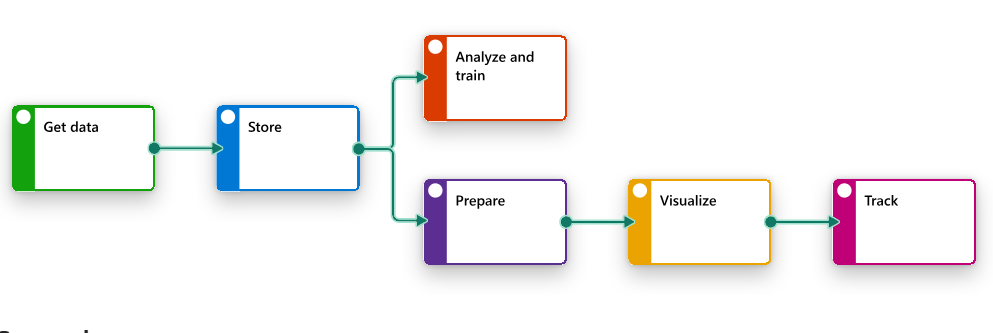
Synapse Analytics Predesigned Template

  • Hits: 165

Related Articles

AI Practitioner AWS

1.1 Basic AI Concept and Terms 1.1

Basic AI Terms Definition

  • AI: creating systems that perform task that require human intelligence...
  • ML: subset of AI systems learn from data without explicit programming
  • deep learning: type of ML, large scale neural networks, multiple layers model complex data patterns
  • neural networks: computational models inspired by human brain
  • computer vision: machines understand interpret visual information
  • NLP: interaction of computer with human languages
  • model: trained rep of patterns in data for predictions and decisions
  • algorithm: set of rules or math procedures to process data train models
  • training and inferencing: teach ML model by feading it data and using trained model to make predictions on new unseen data
  • bias: systematic errors in AI models
  • fairness: AI models unbiased
  • fit: how well ML models learn patterns in data
  • LLM: DL model trained on vast amounts of text data to understand and generate human-like language

Hierarchically; AI > ML > DL > Gen AI. And based on Computational Power; CPU < GPU < TPU

  • Central PU, Graphics PU, Tensor PU

Various types of inferencing

  • Batch(offline): prediction are made on large set of data all at once
    • processing large amounts oof data periodically
  • Real-Time(online): predictions are made instantly as new data comes
    • fast response time (milliseconds)
  • Stream: continous flow of incoming data is processed in real-time, iot devices and social media analytics
    • handling continuos data streams
  • Edge: model inferencing performed on local devices(edge devices) instead of centralised cloud servers
    • low-latency on-device processing
  • Hybrid: combination of batch and real-time inference
    • mix of real-time and batch processing

Describe the different types of data in AI models (for example, labeled and unlabeled, tabular, time-series, image, text, structured and unstructured).

  • Labeled (Supervised Data): data from predefined labels...used in supervised learning
  • Unlabeled (Unsupervised Data): data without predefined labels...so AI gat too find patterns or groupings on its own...used in unsupervised tasks like clustering and anomaly detection
  • Tabular:
  • Time-series: datapoints collected over time at regular intervals...used in forcasting, anomaly detection and trend analysis
  • Image: visual data format, png, jpeg...
  • Text: written language data in documents, chats...used in NLP apps
  • Structured: higly organised, fixed schema data
  • Unstructured: no predefined structure...free-form texts
  • Others: Semi-supervised (mix of labeled and unlabeled) Semi-structured (json/xml), Audio, Video

Describe supervised learning, unsupervised learning, and reinforcement learning.

  • Supervised learning: model trained on labeled data (inputs have corresponding correct output)...so the model learns patterns and relationships between inputs and outputs...
    • Types:
      • classification: predicts discrete category eg. 'spam' vs 'not spam'
      • regression predicts continuous values eg. house price prediction
  • Unsupervised learning:: model is trained on unlabeled data...so it has to find patterns and relationships without predifined outputs
    • Types:
      • Clustering: grouped similar datapoints
      • Association: ID relationships bwn variables
      • Anomaly Detection: detects unusual patterns
  • Reinforcement learning: model learns by interracting with the environment...receiving rewards or penalties based on its actions...aims to maximise cummulative rewards over time

 Ireland | Bobby Abuchi